

Text messaging has many benefits for personal users and business owners. Its widespread use and cost-effectiveness make it an ideal marketing platform both parties appreciate. However, dealing with constant and unsolicited marketing messages can disrupt our daily lives and even harm our mental health. Not blocking text messages can lead to privacy invasion, mental health issues, or even financial harm. Understanding how to block text messages on iOS and Android is essential for maintaining peace and protecting privacy. By filtering out unwanted texts, you can focus on meaningful conversations with trusted contacts, free from unnecessary distractions. Whether it’s unsolicited messages from unknown sources or disruptive texts that interfere with your day, taking control of your messaging empowers you to create a secure and personalized digital environment.
While blocking texts might require a small investment of your time, its benefits are substantial. By filtering out unwanted messages, you can declutter your SMS inbox, shield yourself from spam and fraudulent communications, and enjoy a sense of peace whenever you check your phone, knowing you are in control of your messaging experience.
Blocking a text message stops a specific sender from reaching your inbox. Although the process varies slightly between iOS and Android devices, the core principle remains: you gain control over who can communicate via text. Let’s discover how to block text messages on iOS and Android devices.
How to block Texts Messages on iOS?

Apple devices run on iOS, a highly intuitive operating system that powers iPhones and iPads. Blocking texts on iOS is simple, requiring only a few steps. Follow these steps to block unwanted messages on your iPhone or iPad:
- Open the Messages App: Launch the Messages app on your iPhone to view your text conversations.
- Choose the Conversation: Find and open the conversation with the text message you wish to block.
- Access Contact Information: Tap on the contact’s name or phone number at the top of the conversation screen to access their details.
- Block the Sender: Scroll down to find the option labeled “Block this caller” and tap on it to begin the blocking process.
- Confirm: A confirmation prompt will appear. Confirm your choice to block the sender, and they will be added to your blocked contacts list.
Following these steps will help you effectively block text messages from a specific sender on your iOS device and ensure that future messages from them will not reach your inbox. Read more about how to block spam messages on iOS.
How to block Texts Messages on Android?
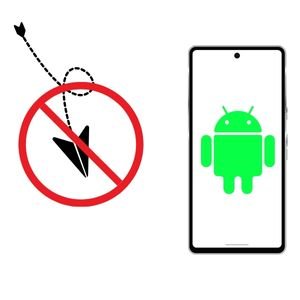
Android users can easily block text messages and prevent unwanted contacts from reaching them. Here’s a step-by-step guide to blocking a number on an Android device:
- Open the Messages app and search the conversation containing the unwanted text.
- Tap the contact’s name or phone number at the conversation’s top.
- Select the menu icon (usually represented by three vertical dots) in the upper right corner of the screen.
- Choose the “Block numbers” option from the menu to stop receiving texts from the sender.
Following these steps, you effectively block text messages on your Android device and maintain control over your messaging experience. Read more about how to block spam on Android.
What is the necessity of Blocking Text Messages?
Blocking text messages is essential to safeguard your smartphone from unsolicited or potentially harmful communications. Here are some reasons why someone might choose to block texts:
- Minimize Unwanted Messages and Spam
Blocking text messages can reduce spam, which is often annoying, deceptive, or dangerous. By blocking the sender’s phone number, you can prevent the influx of unsolicited texts.
- Protecting Against Harassment or Abuse
Being able to block the number of someone harassing or abusing you thru text enhances your sense of safety and security by preventing further contact. It creates a virtual barrier, giving you control over your digital interactions and peace of mind. Therefore, blocking text messages from such individuals on your devices is crucial.
- Safeguarding Yourself from Fraud and Scams
Cybercriminals often exploit text messaging for phishing, fraud, and other malicious schemes. By blocking messages from unknown or suspicious senders, you bolster your defenses against attempts to steal sensitive information or cause financial harm. This proactive measure protects your identity and assets from online scammers.
- Managing Unwanted Contact
In personal interactions, there are times when you may wish to cut off or limit communication with specific individuals. By blocking their communications, you can control the parameters of your conversations, fostering a more respectful and healthy dynamic. It empowers you to prioritize your well-being and cultivate relationships that align with your values.
- Protecting Privacy
Unsolicited texts can intrude upon the boundaries between your personal space and your mobile device. Restricting who can message you can safeguard your privacy and prevent unwelcome communications. It ensures that your digital interactions remain within your comfort zone and adhere to your permissions.
How Can You Block a Text Message From Your Business?

Individuals are not only the target of spam text and unsolicited messages. Many companies using SMS marketing also receive unwanted messages from competitors or disgruntled customers. If you are a business owner, knowing how to block text messages to maintain your professional image and protect your brand is crucial. Here are some tips on how businesses can effectively block text messages:
- Leverage Built-in Blocking Features: Most smartphones have built-in tools to filter spam texts or block specific numbers. You can block numbers on an iPhone by navigating to Settings > Messages > Blocked Contacts. Similarly, Android smartphones typically offer these options under “Blocked Numbers” or “Spam Protection” within the system or messaging app settings.
- Harnessing AI-Powered Call Assistants: Modern smartphones have intelligent AI assistants designed to detect and thwart spam. Leveraging machine learning and artificial intelligence, these assistants analyze incoming texts and calls to identify patterns associated with unsolicited or spam communications. Utilizing cutting-edge technology, they provide proactive protection against spam messages, eliminating the need for manual intervention.
- Filter Spam Texts from Unknown Senders: Several messaging apps can filter messages from unrecognized senders or those not in your contact list. This feature lets you concentrate on communications from trusted contacts by segregating messages from unknown sources, helping you declutter your inbox. Utilizing this option can significantly reduce the impact of spam messages without blocking specific numbers.
- Block Spam SMS Using Third-Party Apps: Consider using third-party apps designed to block spam SMS for more flexibility and customization. These applications often offer robust features such as personalized block lists, keyword filtering, and advanced spam detection algorithms.Installing a reputable spam-blocking app from your device’s app store allows you to access enhanced, customizable protection against unwanted text messages. Popular third-party apps for Android include TrueCaller, Hiya, and TextKiller, while iPhone users can opt for apps like Don’t Text, Robokiller, and Junkman to block spam messages effectively.
- Activate Your Carrier’s Spam-Blocking App: Many mobile carriers offer specialized apps or services to counter spam SMS at the network level. These applications employ advanced filtering algorithms to block unwanted texts before they reach your smartphone. By leveraging your carrier’s infrastructure, you gain real-time protection against spam and phishing attempts, enhancing your device’s security.
You must also implement measures and best practices for customers service in using text marketing to ensure that your messages are received and appreciated.
How do you keep customers from blocking your texts?
As a business owner, it is essential to recognize that customers can also block your text messages if they find them intrusive or irrelevant. It impacts your marketing efforts and harms your reputation. Here are some tips on how businesses can prevent their customers from blocking their texts:
- Ensure Opt-in and Opt-out Compliance: Businesses must adhere to opt-in and opt-out regulations when using SMS marketing. Ensure that you obtain explicit permission from customers before sending them any promotional messages, and include an option to unsubscribe from future communications.
- Create Engaging Content:Customers are more likely to engage with your messages if they find the content relevant, valuable, and personalized to their interests. Ensure that your messaging is concise, visually appealing, and provides a clear call to action. It will help retain customers and reduce their chances of blocking your texts.
- Limit Frequency of Messages: Bombarding customers with frequent or irrelevant messages can make them feel overwhelmed or annoyed, prompting them to block your texts. It is essential to strike a balance and limit the frequency of your messages to maintain customer interest and engagement.
- Monitor Feedback and Respond Promptly: If a customer has blocked your texts, respecting their decision and avoiding contacting them further is essential. Try reaching out through other channels like email or social media to address any concerns. Additionally, regularly monitor customer feedback and promptly respond to any complaints or queries related to text messaging.
- Personalize Messages: Sending personalized messages that address customers by name and reference their previous interactions or purchases can make them feel valued and increase engagement. Utilize customer data to send targeted, relevant messages that resonate with their interests and needs. It can prevent customers from blocking your texts and improve overall brand perception.
What Types of Messages are Typically Blocked by Customers?
Customers are more likely to block messages that they find intrusive, irrelevant, or spammy. Some common types of messages that may lead customers to block a business’s texts include:
- Promotional Messages: These messages are commercial communications businesses send to advertise products, services, or events. Customers typically block them if perceived as frequent, irrelevant, or overly intrusive.
- Spam Messages: Spam messages are unsolicited communications usually sent in bulk. They often include generic content not personalized to the recipient’s interests or needs. Due to their disruptive nature, customers commonly block such messages.
- Scam or Phishing Messages: These are deceptive messages intended to trick recipients into giving out sensitive information, such as passwords or credit card details. Customers are vigilant about blocking these messages to protect their personal information and avoid potential fraud.
- Notification Overload: While notifications can be helpful, a high volume can overwhelm customers. This includes frequent updates about account activity, order statuses, or service changes. If customers feel bombarded, they may choose to block such notifications.
- Irrelevant Content: Messages that do not align with the recipient’s interests or needs are often perceived as irrelevant. For instance, a recent purchase customer might not want to receive further advertisements for similar or unrelated products shortly after that. It can lead to them blocking the business’s texts.
What is the Importance of Blocking Text Messages?

Blocking text messages is crucial for both individual users and businesses. It helps individuals protect their privacy and security by preventing unwanted, potentially harmful, or fraudulent communications. For businesses, controlling the receipt of messages ensures that their marketing communications are welcomed and not perceived as intrusive.
- Protection Against Fraud and Scams:
Blocking text messages enables users to safeguard themselves against scams or phishing attempts. These malicious messages often masquerade as legitimate communications to deceive recipients into disclosing sensitive information like passwords, bank details, or credit card numbers. By blocking such messages, individuals significantly reduce the risk of identity theft or financial fraud.
- Enhancing User Experience:
For businesses, maintaining a positive customer experience is paramount. Ensuring that communications do not overwhelm customers reinforces trust and loyalty, which are essential to a strong brand reputation. The ability to block unwanted messages allows users to avoid notification overload, which, in turn, can lead to greater satisfaction and engagement with a brand’s pertinent and timely communications.
- Compliance with Regulations:
Businesses must also block unsolicited messages to comply with legal standards and regulations, such as the US Telephone Consumer Protection Act (TCPA). Such laws require explicit consent from recipients before sending marketing messages, ensuring ethical communication practices. Failure to adhere to these regulations not only risks significant legal penalties but can also damage a business’s reputation.
- Control Over Communication:
Finally, blocking text messages gives control back to the recipient, permitting them to manage their communication preferences actively. This autonomy allows users to filter out distractions and focus on messages that are indeed important to them, enhancing both productivity and peace of mind.
What do texts look like when blocked?
Blocked text messages typically do not appear on the recipient’s device. When a message is blocked, the sender may not receive a notification or any indication that their message has been blocked. This can make it challenging to determine if a message has been appropriately delivered or intercepted by blocking features.
Lack of Delivery Confirmation
Most modern messaging systems provide some form of delivery receipt or read confirmation. If such receipts are consistently missing or marked as “undelivered,” it strongly indicates that a customer might have blocked your company’s text messages.
No Response
A sudden halt in responses from a contact who previously engaged regularly could signal that their texts are now being blocked. However, this is not a definitive indicator, as the recipient might choose not to reply.
Bounce-Back Messages
In rare cases, the sender might receive an automated bounce-back message indicating that the message could not be delivered. It depends on the specific messaging system and network provider.
Error Codes
For businesses using bulk messaging services, specific error codes associated with failed delivery attempts can explain whether messages are blocked by the recipient’s carrier or device settings.
Service Provider Notifications
Some carriers notify businesses when their messages have been flagged or failed delivery due to blocking or spam filters. These alerts can help enterprises to identify when their messages are not getting through.
Understanding these indicators helps businesses and individuals better navigate communication challenges and tailor their strategies to ensure effective and respectful engagement.
Are blocked Messages Considered as Spam?
Yes, blocked messages can often be considered as spam. Blocked messages and spam are closely related because many messages get blocked primarily due to their spam-like nature. Unsolicited bulk messages, or those with irrelevant or intrusive content, are frequently marked as spam by recipients. Users who identify messages as spam tend to block the sender to prevent further unwanted communications. Consequently, blocking indicates that the messages might have been perceived as spam. This perception is reinforced when businesses face high block rates, which often correlate with practices that involve excessive or irrelevant messaging, pushing recipients to employ blocking measures.
Can SMS Bomber be Blocked?
Yes, SMS bombers can be blocked. SMS bombers work by sending a large number of messages to a single recipient with the intent to overwhelm their device or network. To effectively block these bombers, users and businesses can take several steps:
- Carrier-Level Blocking: Many mobile carriers offer services that detect and block repeated or bulk messages from the same sender, a common characteristic of SMS bombers. Contacting the airline and reporting the issue can often stop these messages at the network level.
- Blocking Specific Numbers: Most modern smartphones allow users to block specific numbers directly from their settings or messaging apps. By identifying the number used by the SMS bomber, individuals can prevent any further messages from being sent from that source.
- Using Third-Party Apps: Several third-party applications are designed to filter and block spam messages. These apps often have advanced settings that allow users to customize the messages they want to block.
- Regulatory Reporting: In many regions, regulatory bodies oversee telecommunications. Reporting SMS bombings to such authorities can result in investigations and potential penalties for the perpetrator, thus deterring future attacks.
Blocking methods and effectiveness can vary, but taking these steps provides a structured approach to mitigating the impact of an SMS bomber. Read more about What is an SMS Bomber.